Automatically copy expert trades on your Deriv MT5 account for free or for a fee. Once you've subscribed to a trading signal, the provider's deals will be automatically replicated on your Deriv MT5 trading account each time they place a trade.
Benefits of subscribing to MT5 trading signals
Trades from expert traders are automatically replicated into your account.
Save time – subscribing to signals automates your trades.
Easy to set up – no installation required.
Full disclosure of each provider’s performances.
No hidden fees or commissions.

How to subscribe to an MT5 trading signal
Step 1
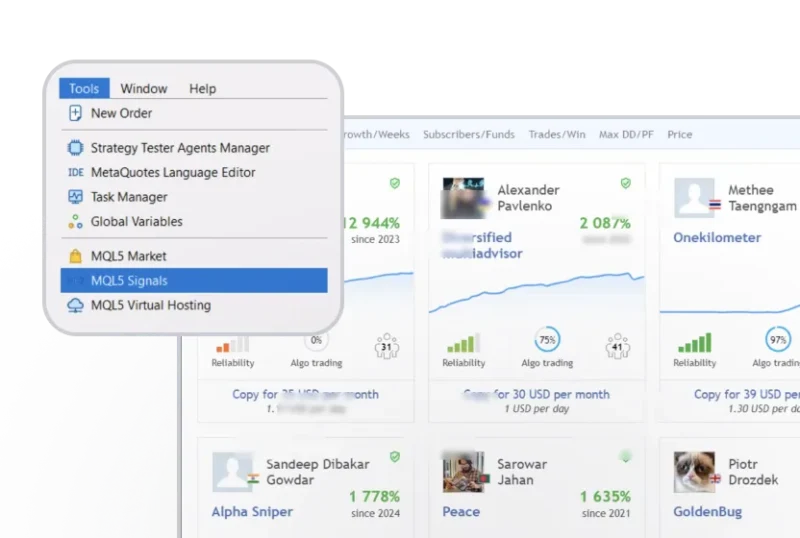
Go to MQL5 Signals
In your MT5 trading terminal, go to Tools and select MQL5 Signals.
Step 2
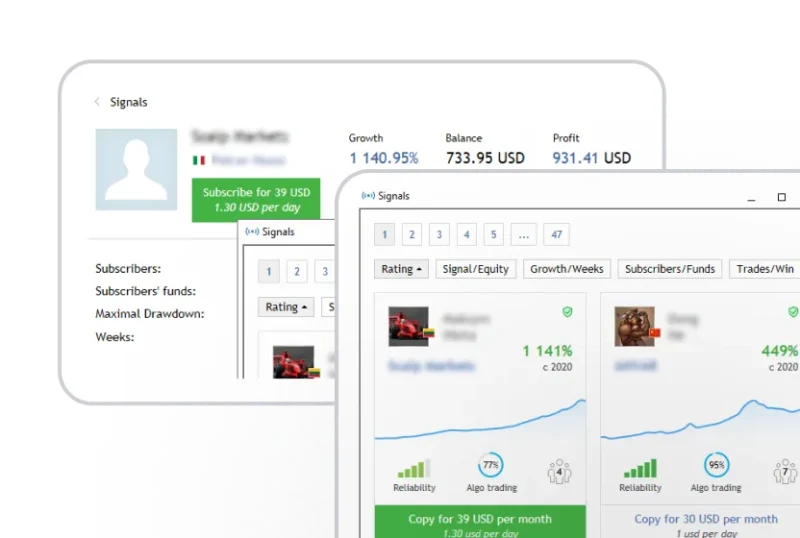
Subscribe to a signal provider
Select your preferred signal provider and click “Subscribe”.
Step 3
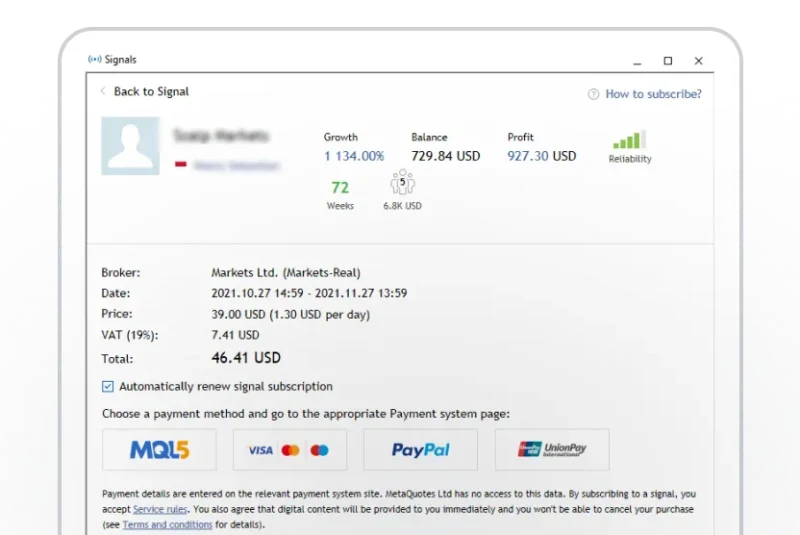
Finalise your subscription
Adjust your trading and risk management parameters. Then click “OK” to complete the subscription.
How to renew or cancel your subscription
Step 1
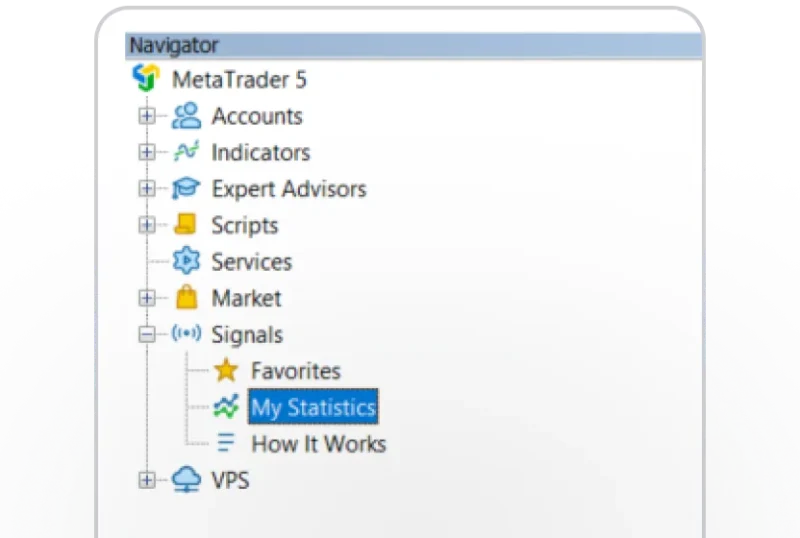
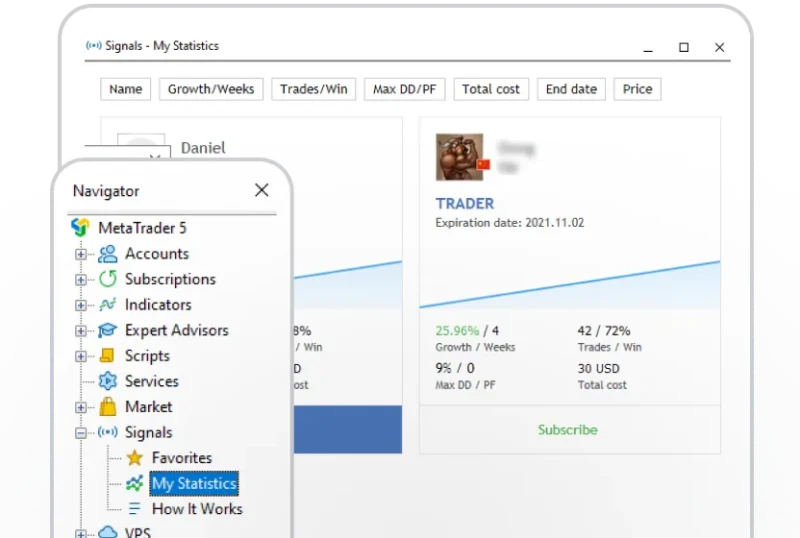
Go to My Statistics
In the Navigator panel, go to Signals and click “My Statistics”.
Step 2
Select the provider
Select the signal provider you want to renew or cancel your subscription to.
Step 3
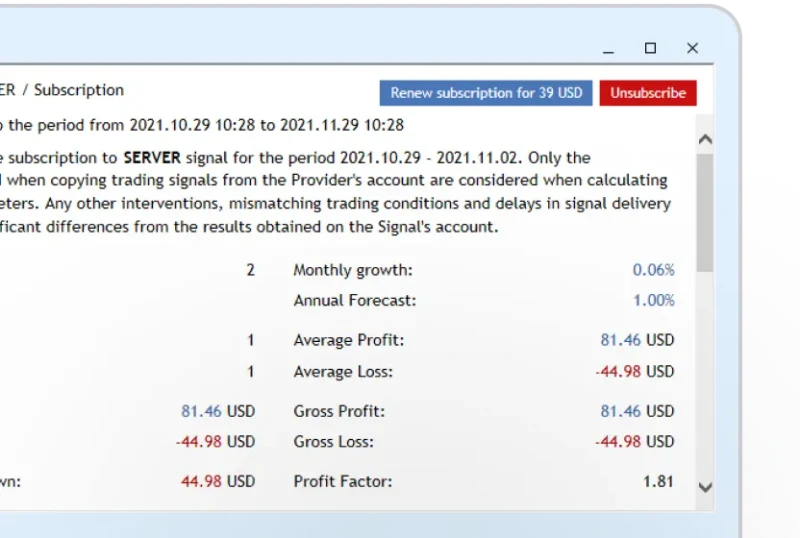
Renew or unsubscribe
Click “Renew” or “Unsubscribe” to renew or cancel your subscription.
Note:
- An MQL5 community account is required to subscribe to trading signals. If you don't have an account yet, go to MQL5.com to register.
- To subscribe to paid signals, fund your MQL5 account.
- You can subscribe to only one signal provider with one Deriv MT5 account at any given time. You can use your signal on up to 3 different computers.
- Once you've subscribed to a signal, you won't be able to trade manually with the same Deriv MT5 account.
